Know what’s holding back your GRE score.
Prepare for the GRE with a question bank built for deliberate practice—not just more questions. GREKMF brings targeted Quant and Verbal practice, step-by-step explanations, mistake review, and performance data into one place, so you can identify a weak skill, practice it directly, and see whether your accuracy and pacing improve over time.
8,172 practice questions · Topic-based practice · Step-by-step explanations
Free plan available. No credit card required.
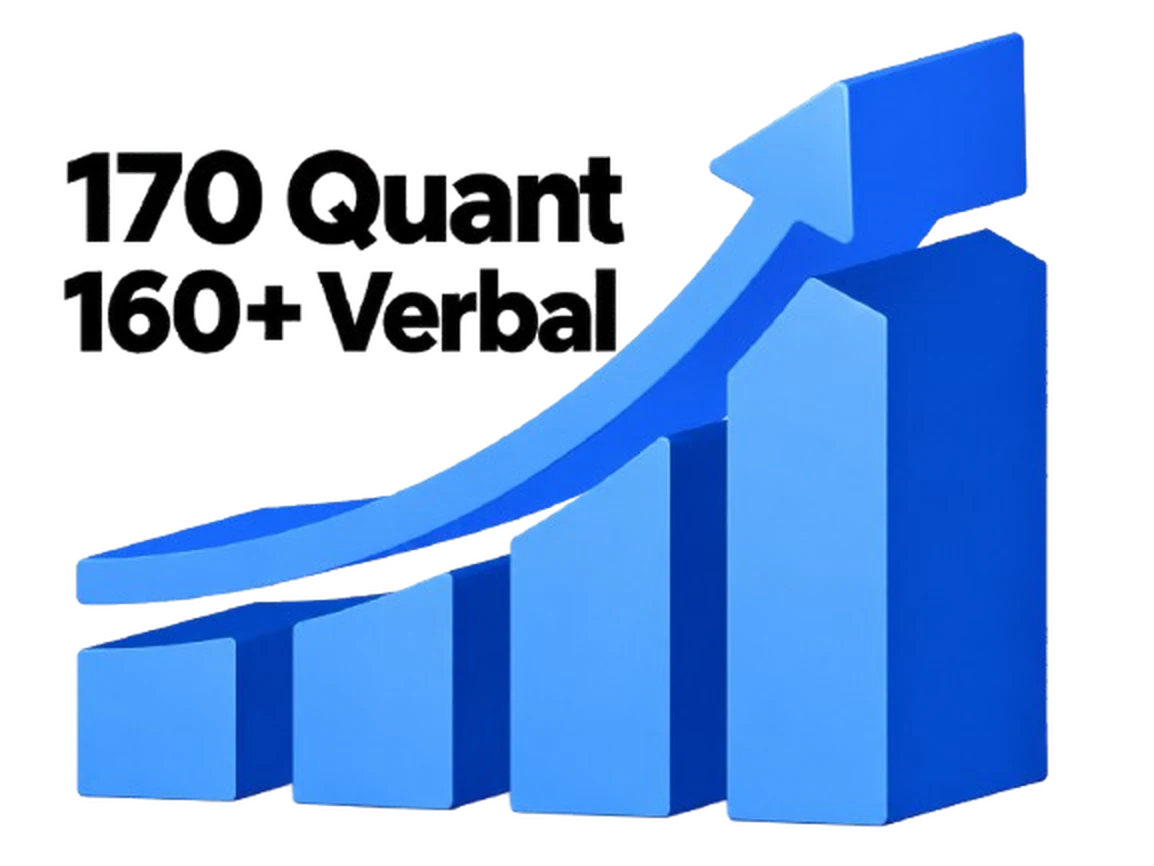
Progress students have reported.
Users have reported gains of +10 in Quant and +5 in Verbal within 10 days.
Based on individual user feedback. Results vary.
A clear next step after every practice session.
It’s frustrating to finish a GRE practice set and still wonder what to study next. GREKMF connects results from Quant and Verbal practice to focused question sets, detailed review, and saved mistake notes. Instead of repeating random questions, you can use each session to choose the skill, question type, or testing habit to address next.
Choose GRE Quant, Verbal, or a full-length practice test.
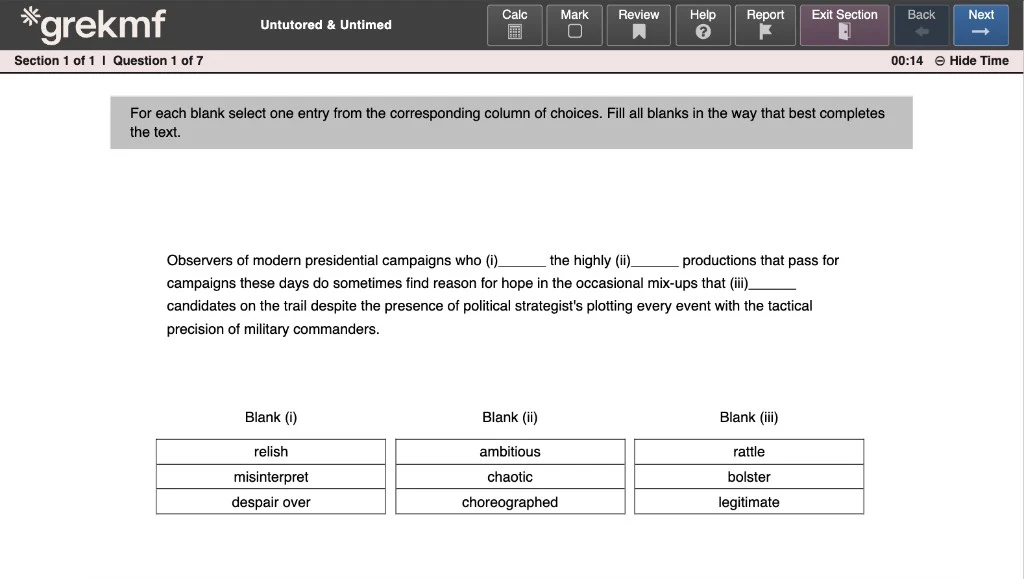
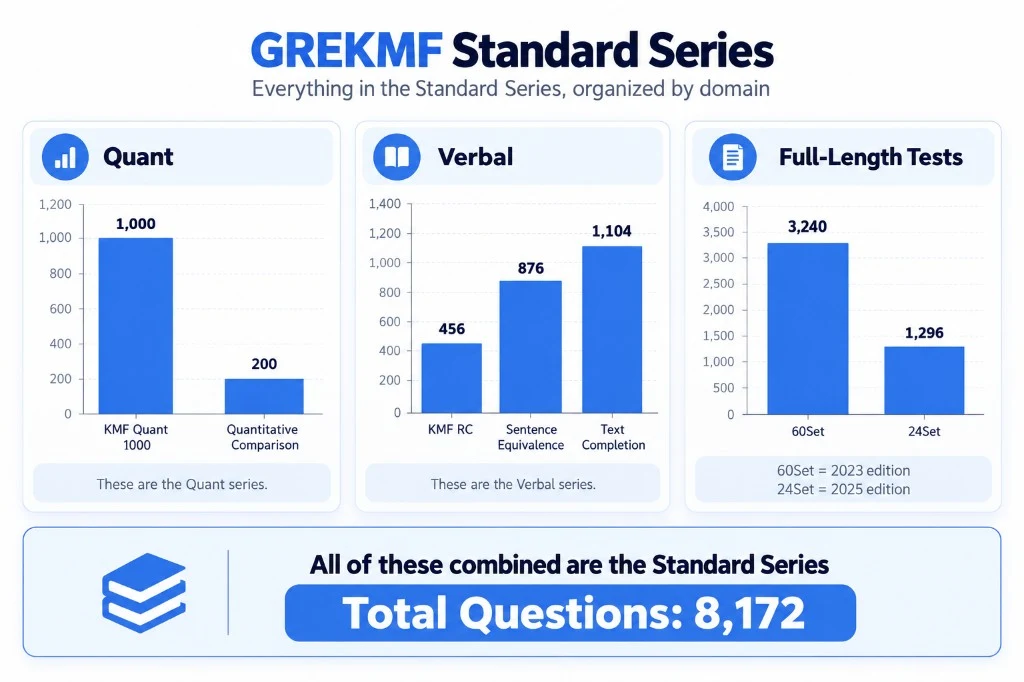
Start GRE practice with the section that fits your study plan: Quantitative Reasoning, Verbal Reasoning, or a full-length test. The Standard Series organizes 8,172 GRE practice questions by section and question type, so you can build a focused study session instead of sorting through an undifferentiated question bank. Use Quant practice for Quantitative Comparison, Problem Solving, and Data Analysis; use Verbal practice for Reading Comprehension, Text Completion, and Sentence Equivalence; or combine both sections when you want to rehearse the pace of the GRE General Test.
Use GRE performance data to find the skills holding you back.
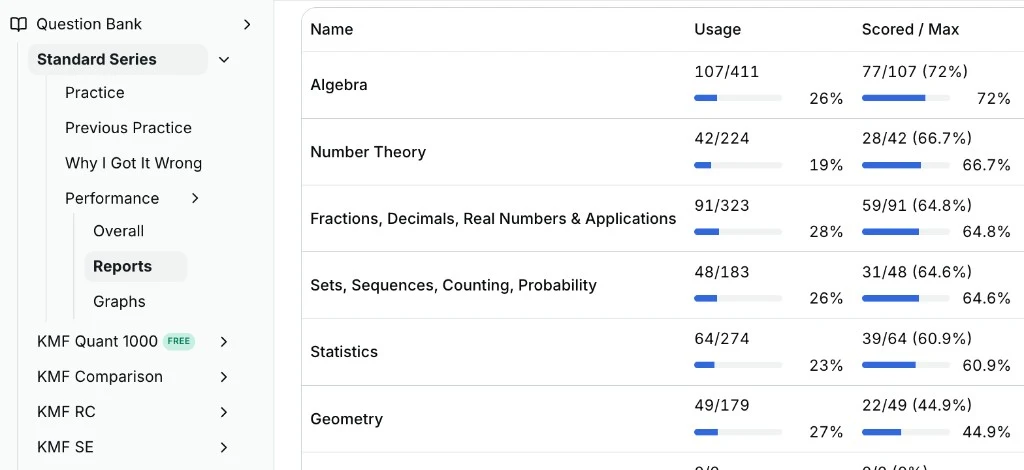
After a GRE practice session, review accuracy by topic, time spent per question, and recurring misses. Rather than relying on an overall score alone, GREKMF helps you see whether the problem is a specific Quant concept, a Verbal question type, pacing, or a pattern of avoidable errors. That gives you a concrete next step: spend your next session on the skills that are costing the most points.
Turn weak GRE topics into focused practice sessions.
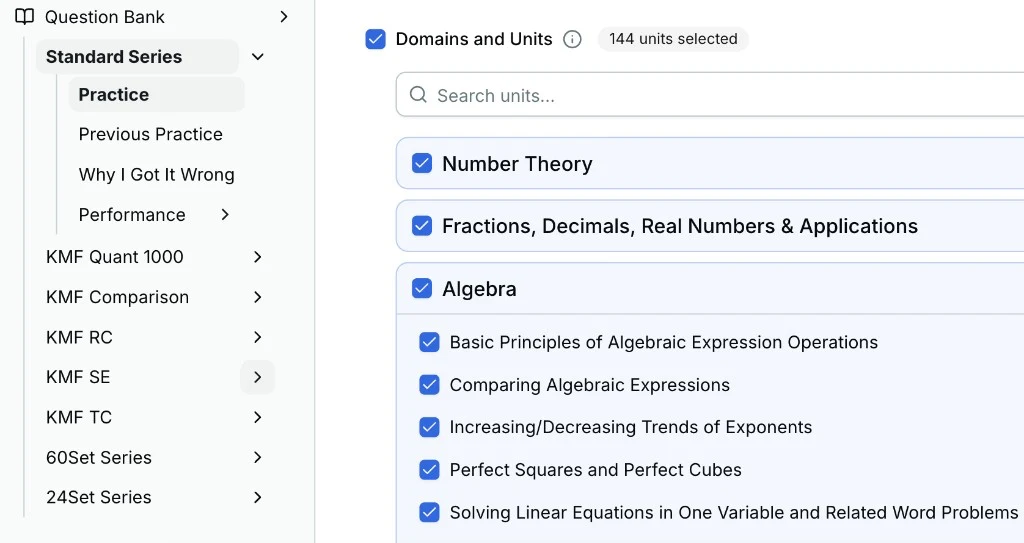
Every GRE question is labeled by domain and skill. Use Standard Series filters to create targeted GRE practice for the exact topics that need work, such as algebra, number properties, geometry, Reading Comprehension, Text Completion, or Sentence Equivalence. Targeted practice lets you revisit a concept until your accuracy improves, then move back to mixed sets and timed GRE practice with more confidence.
Learn from each GRE mistake with explanations and an error log.
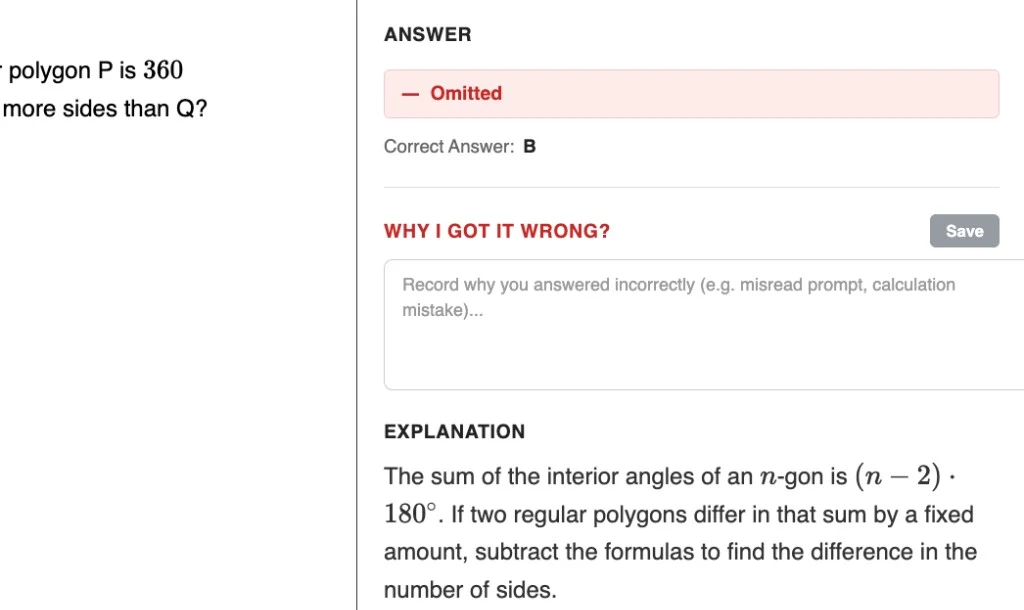
A wrong answer can come from a content gap, a rushed calculation, a missed word in the prompt, or an answer-choice trap. Read the step-by-step GRE explanation, then use “Why I Got It Wrong” to note what happened while your thinking is still fresh. Recording the cause of a missed question turns review into a repeatable habit and makes it easier to avoid the same mistake on the next practice set.
Review recurring errors and measure GRE progress over time.
Your completed questions, explanations, and mistake notes stay connected in one error tracker. Return to them before a new GRE study session to review the reasoning, spot patterns such as repeated timing mistakes or missed concepts, and decide what to practice next. As you complete more sessions, follow changes in accuracy and pacing to see whether your targeted Quant and Verbal practice is working.
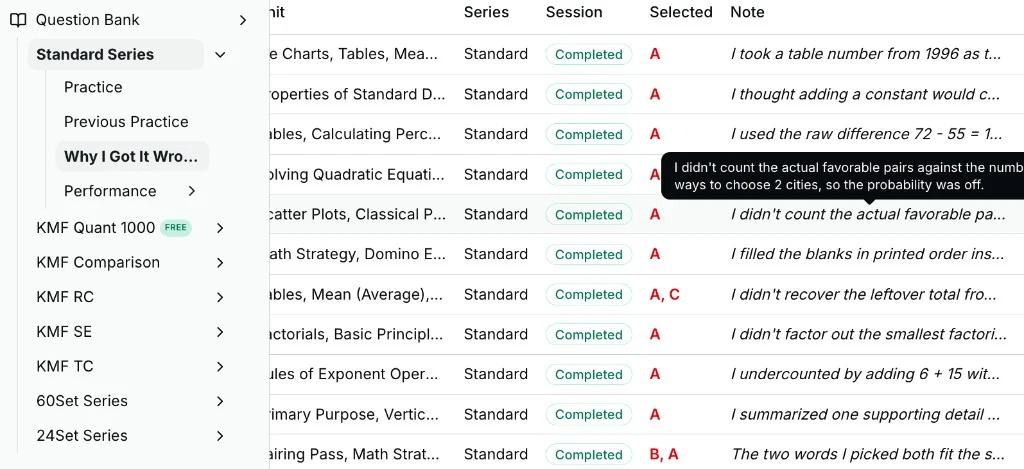
Your results, practice questions, explanations, and mistake notes stay together.
Understand the reasoning behind every answer.
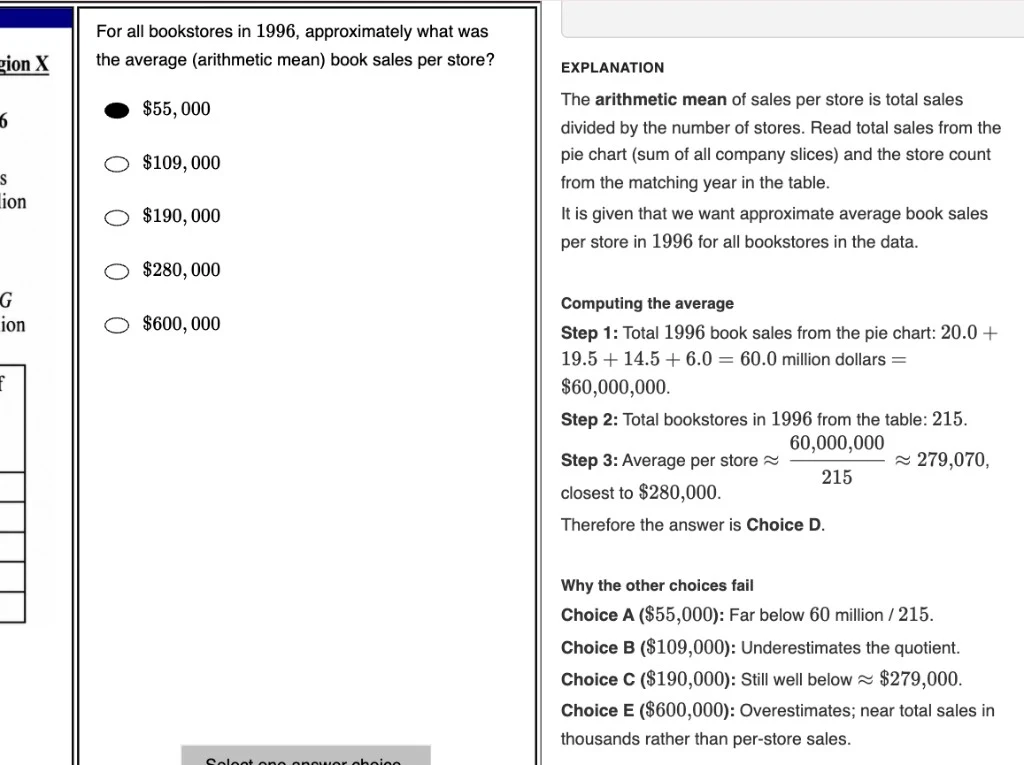
Each GRE practice question includes a detailed explanation that introduces the underlying concept, shows a reliable setup, and walks through the solution step by step. Use explanations after a miss to learn a method you can apply to a new version of the question—not merely to confirm the correct answer.
For multiple-choice questions, see why the correct answer works and why each alternative fails. Learn how to spot the detail you missed, identify a tempting answer-choice trap, and decide whether the error came from content knowledge, calculation, interpretation, or timing.
Make sense of difficult passages, one sentence at a time.
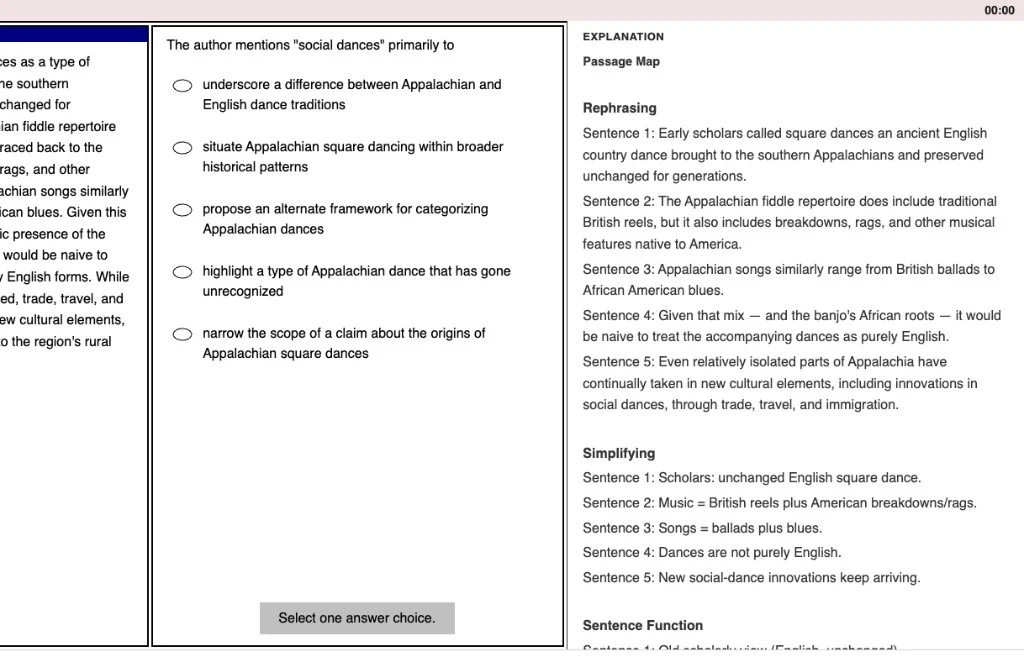
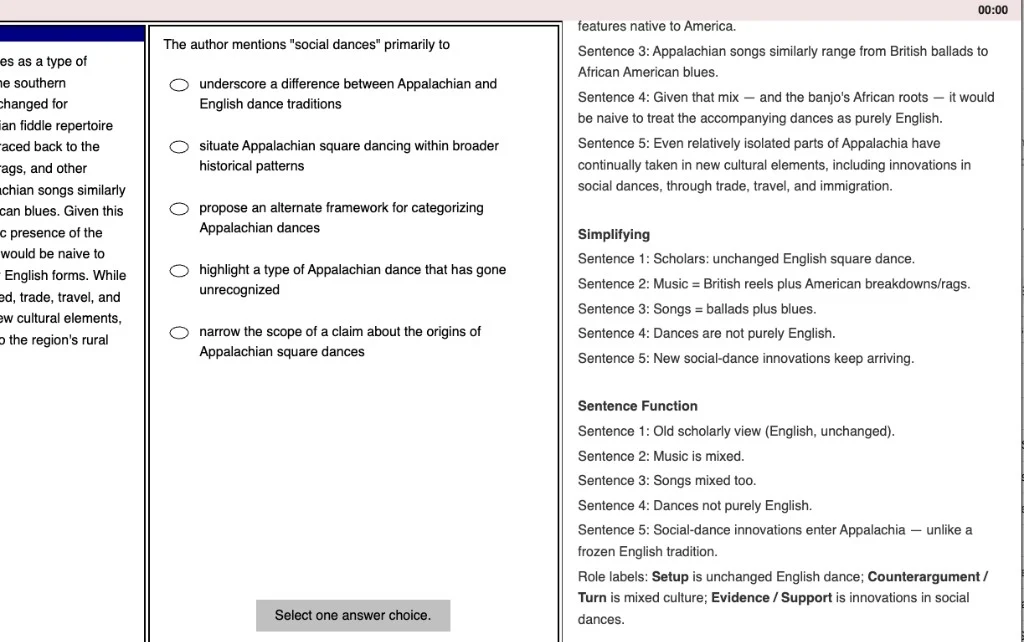
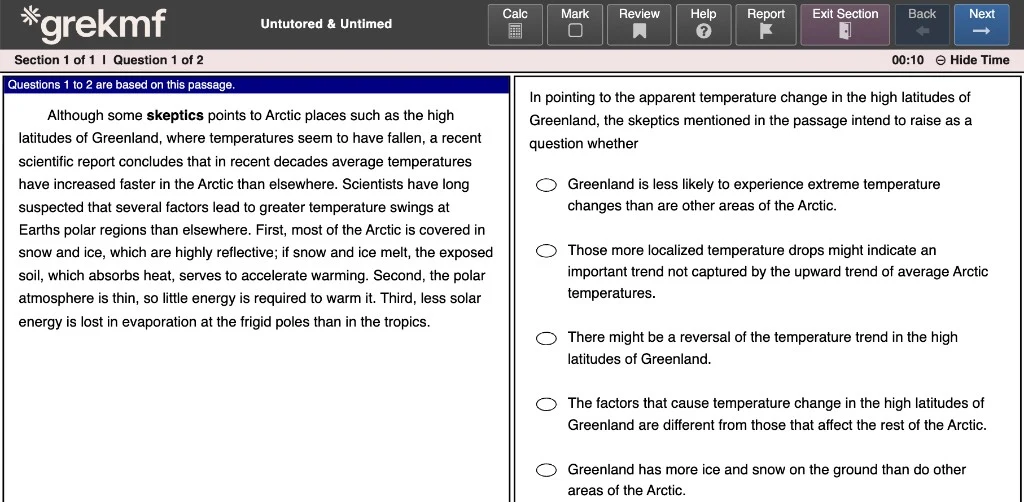
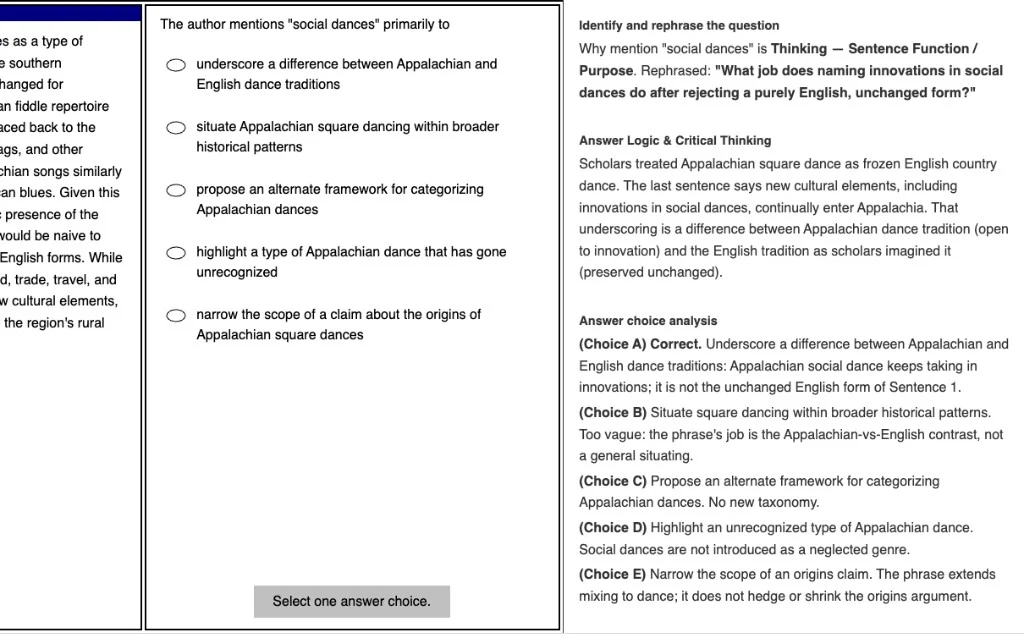
GRE Reading Comprehension passages are easier to manage when you can separate what a sentence says from the job it performs. See what each sentence means, how it advances the author’s argument, and which details are likely to matter for the question.
GREKMF’s Reading Comprehension explanations include:
- A simpler version of each sentence.
- The function each sentence serves in the passage.
- A rephrased question to clarify what you need to find.
- Critical analysis grounded in the passage.
- Answer-by-answer elimination and evidence supporting the correct choice.
Use these worked GRE Reading Comprehension explanations to practice sentence rephrasing, sentence-function analysis, and evidence-based elimination. The goal is to make a dense passage readable enough that you can return to the text with a clear purpose for every answer choice.
Rephrase the question, then eliminate with evidence.
GRE Reading Comprehension questions often look difficult because several choices sound plausible. These explanations clarify what the question is actually asking, connect that task to the relevant part of the passage, and then test each option against the evidence instead of relying on a vague impression.
- A rephrased version of the question, tied to the sentence’s job in the passage.
- The reasoning that makes the credited choice work.
- Process of elimination for every remaining choice, with the trap named.
Choose how you learn. Build confidence for test day.
Timed or untimed: choose your pace.
Use untimed GRE practice when you are learning a new strategy or rebuilding a weak skill, then switch to timed practice when you want to measure pacing under section conditions. Separating learning from speed work helps you diagnose whether a missed question came from the concept itself or from the clock.
Tutor Mode: learn while your thinking is fresh.
See the answer and detailed explanation immediately after each question. When you miss one, record the reason while you still remember your approach—whether it was a content gap, a calculation error, a misread, or an answer-choice trap. That turns a practice question into a short feedback loop.
Untutored Mode: put your skills to work independently.
Complete a GRE practice set without seeing answers or explanations between questions, then review the full session afterward. Untutored Mode is useful for checking whether you can apply a strategy independently and for seeing how accuracy and pacing hold up across a complete Quant or Verbal set.
Familiar tools before test day.
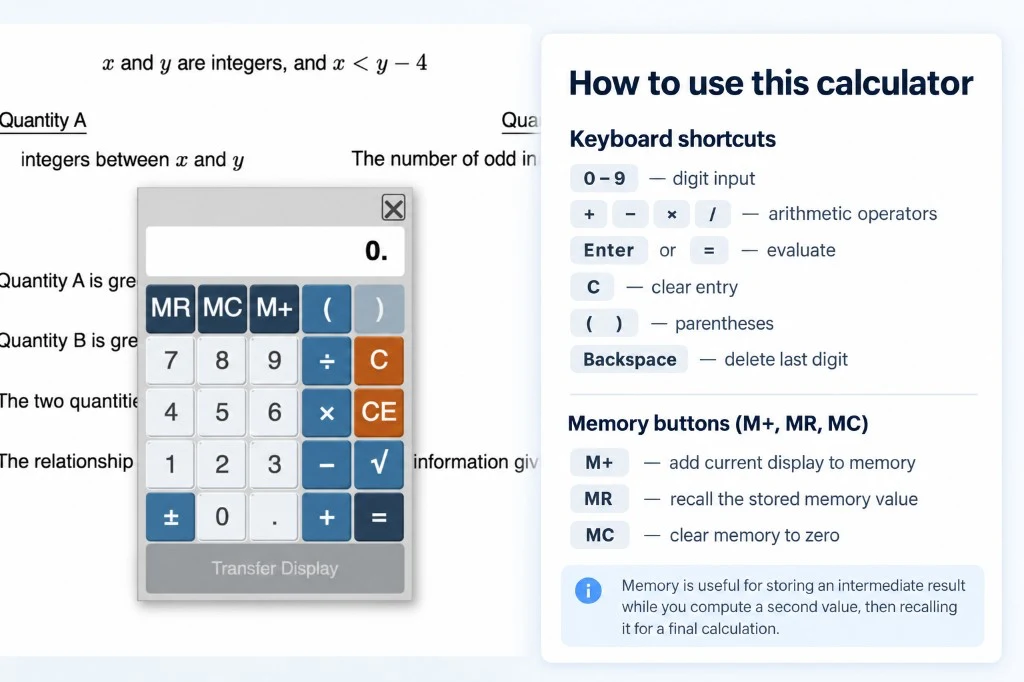
Practice in a GRE exam-like interface with a calculator that uses familiar controls, keyboard shortcuts, and on-screen movement limits. Build the habit of reading a question, deciding whether a calculation is necessary, and using the calculator efficiently—so the mechanics of the testing interface do not distract from your Quant strategy on test day.
Keep your preparation moving, wherever you study.
Practice on your phone.
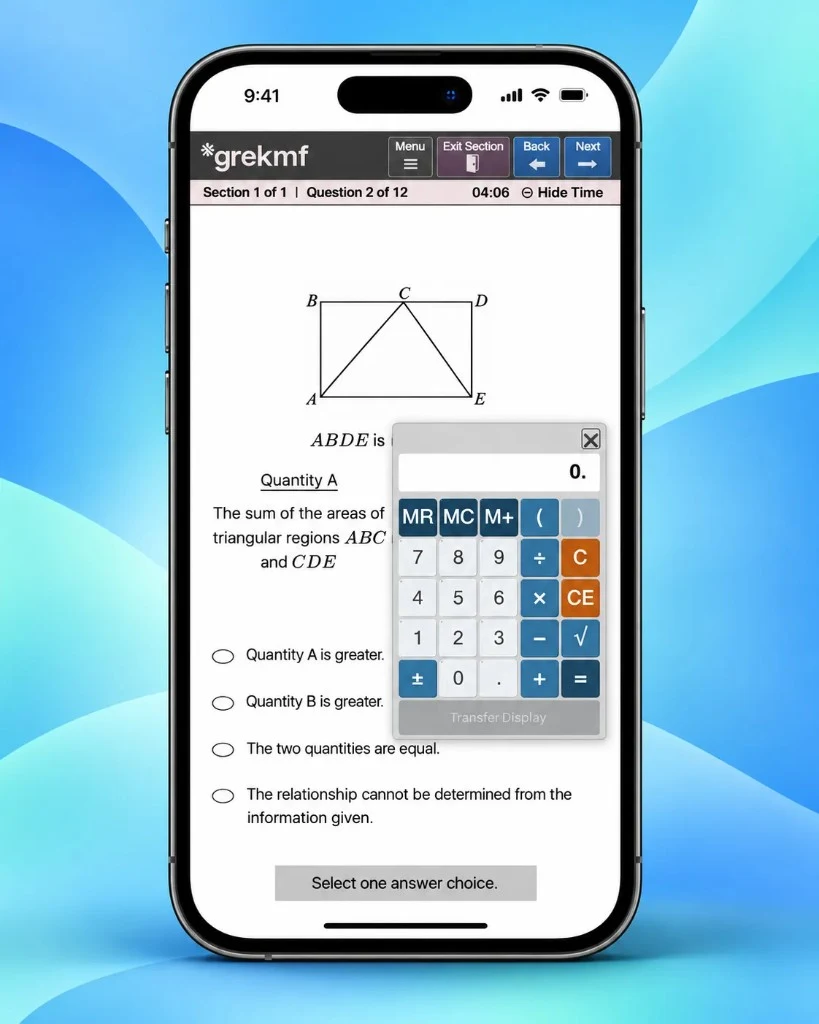
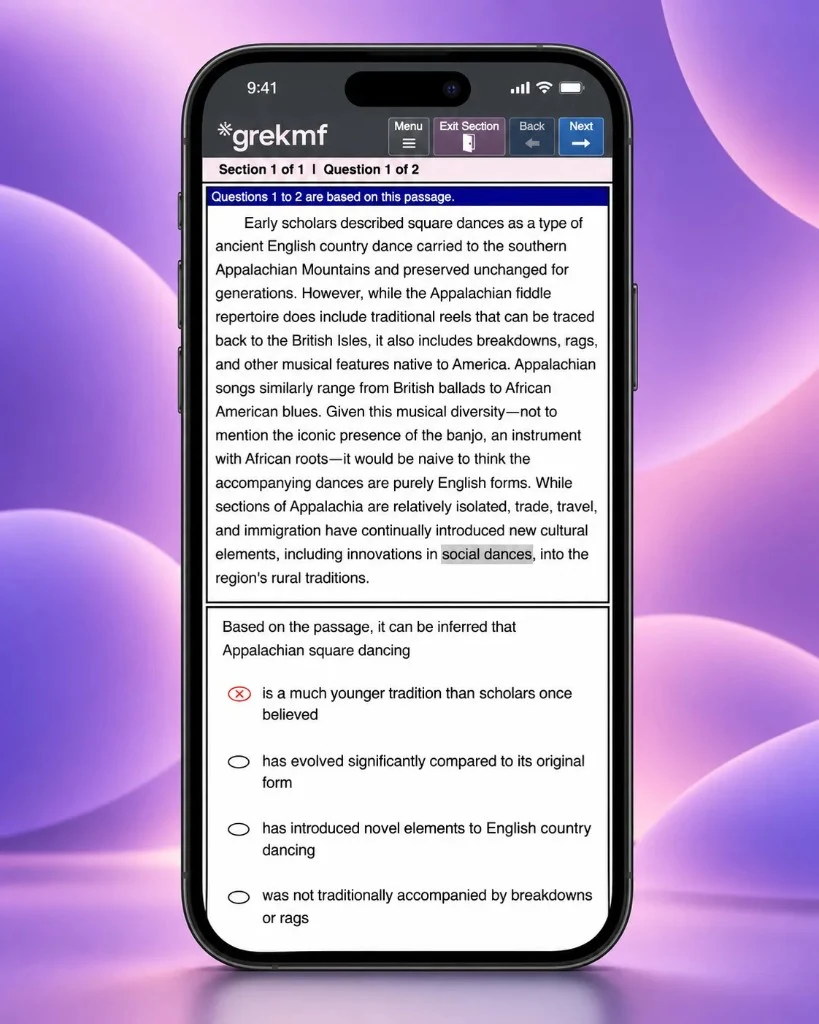
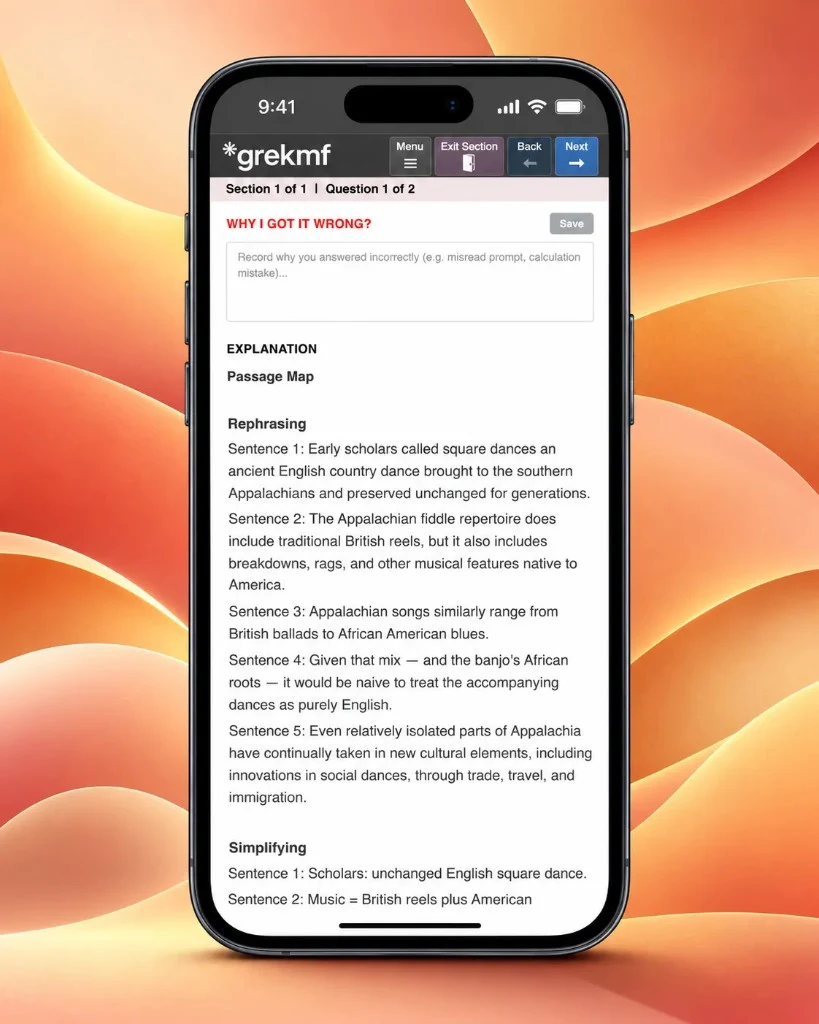
GREKMF does not require a separate mobile app. Practice in your phone browser on the same account and site you use on a computer, so GRE questions, explanations, saved error notes, and review stay together. Use a spare ten minutes for vocabulary or an untimed drill, then return to a longer timed Quant or Verbal set when you have more time.
How to start:
- Open Chrome or another browser on your phone.
- Go to grekmf.com.
- Sign in.
- Select a series to practice, then start practice.
Every GRE question type is designed for mobile reading: passages, figures, answer choices, explanations, and the calculator remain usable without a separate app or a different study workflow.
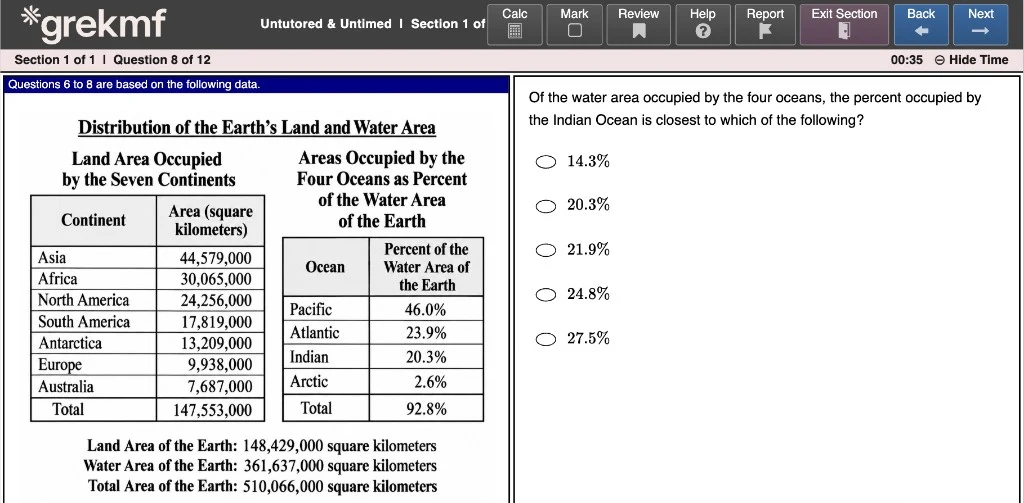
Read diagrams clearly.
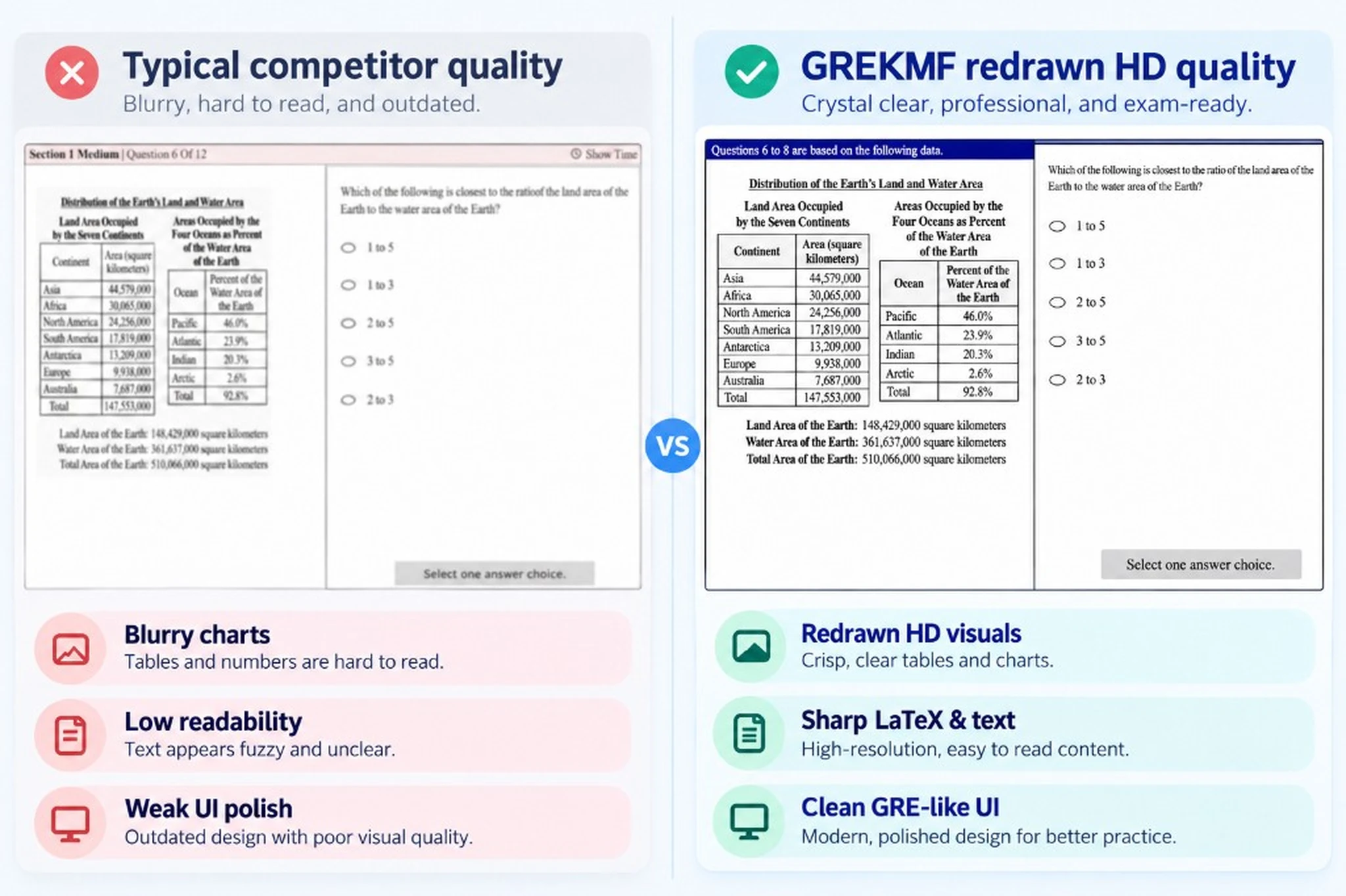
GRE Quant questions can depend on a graph label, a table value, or a small detail in a geometry figure. GREKMF redraws diagrams in high definition so labels, axes, measurements, and comparison details stay legible on desktop and mobile—letting you spend your attention on the mathematical reasoning rather than deciphering an image.
Follow your performance without manual calculations.
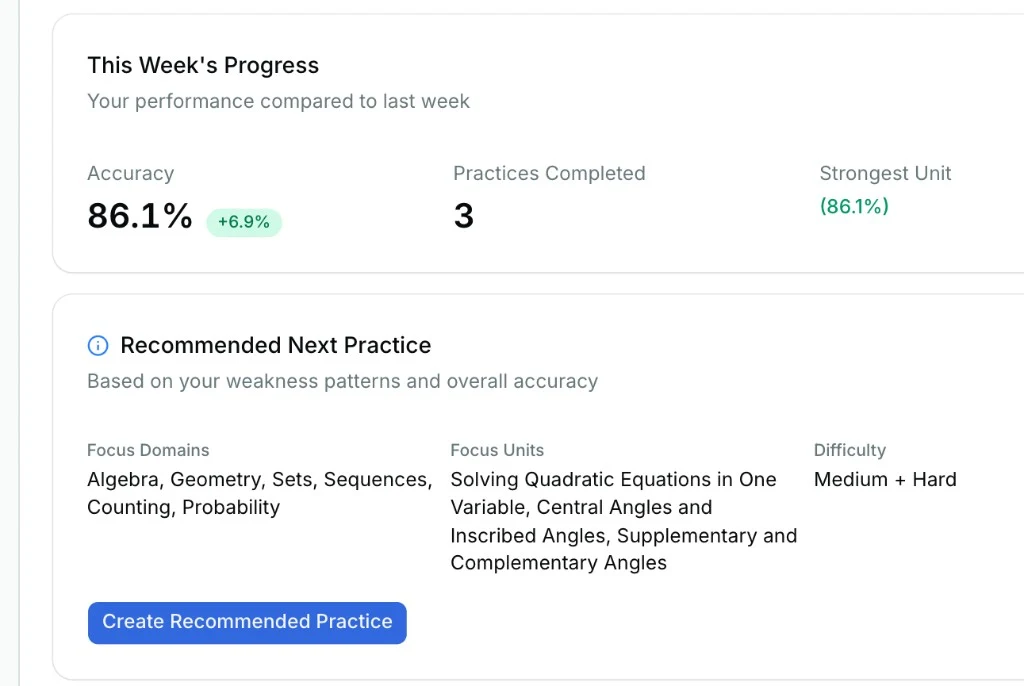
Get estimated GRE scores and percentiles alongside each practice result, without calculating trends by hand. The dashboard brings together accuracy, completed sessions, stronger units, and a suggested next set so you can decide whether to review a missed skill, build a targeted drill, or test yourself again under timed conditions.
- Score
- estimated GRE
- %ile
- from your results
- Next
- personalized set
Give vocabulary a daily routine.
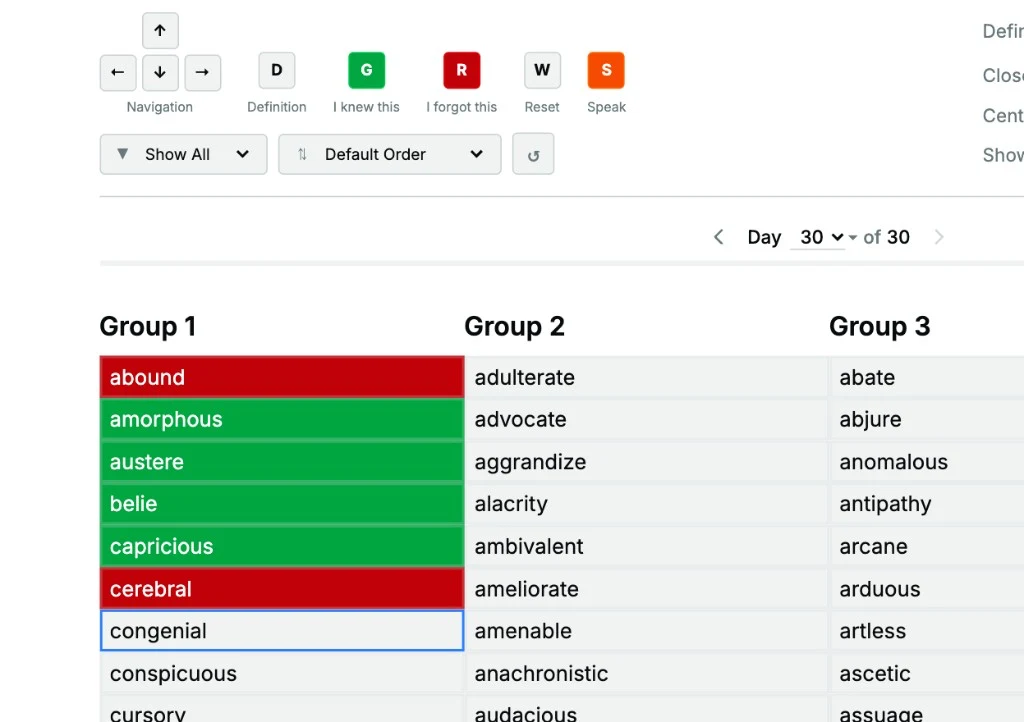
Work through 960+ GRE words with Vocab Mountain’s structured 32-day plan, so vocabulary study has a clear daily starting point. Each word includes a definition, examples, and synonyms; use the known and forgotten markings to separate words you recognize from the ones that need another review. A consistent vocabulary routine supports Reading Comprehension, Text Completion, and Sentence Equivalence practice without requiring a separate app.
Open Vocab Mountain- 960+
- GRE words
- 32
- day climb
- 3
- groups a day
- I knew this
- I forgot this
- Reviewing now
See how your performance is changing.
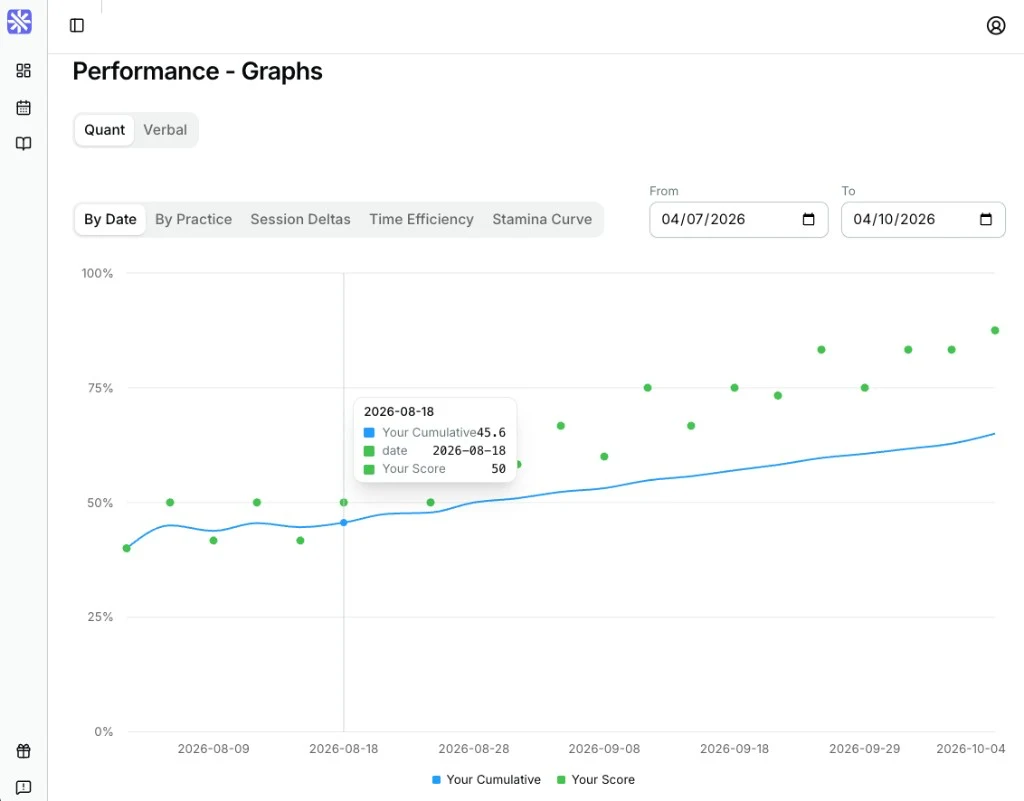
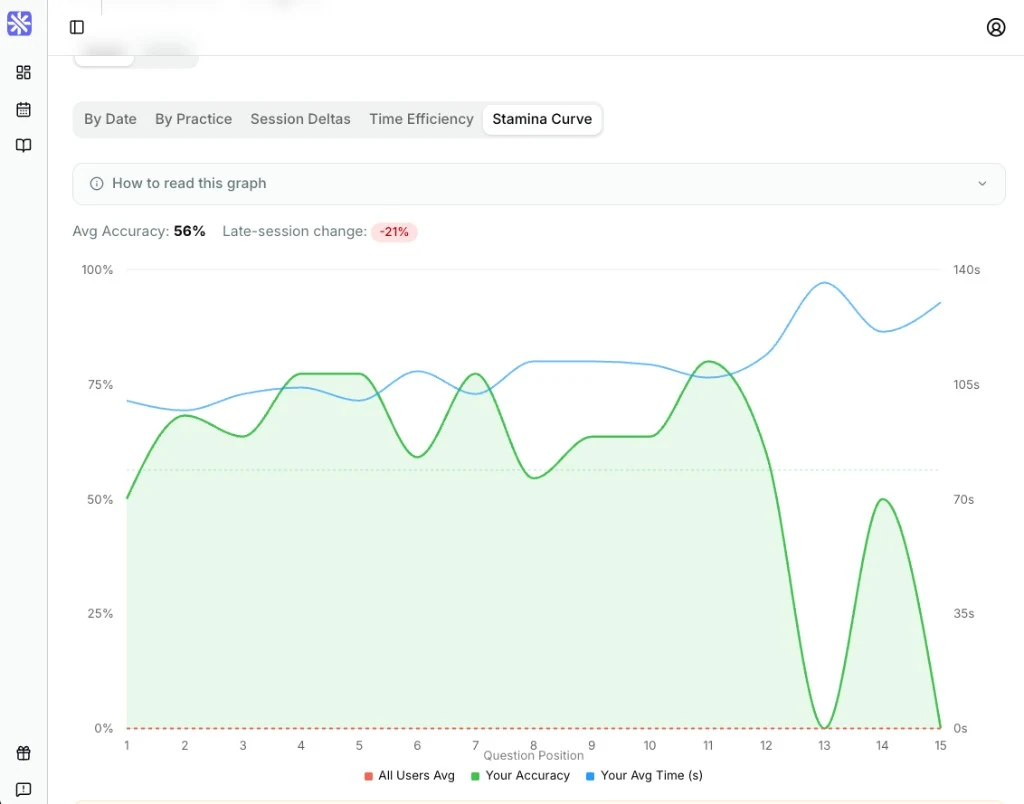
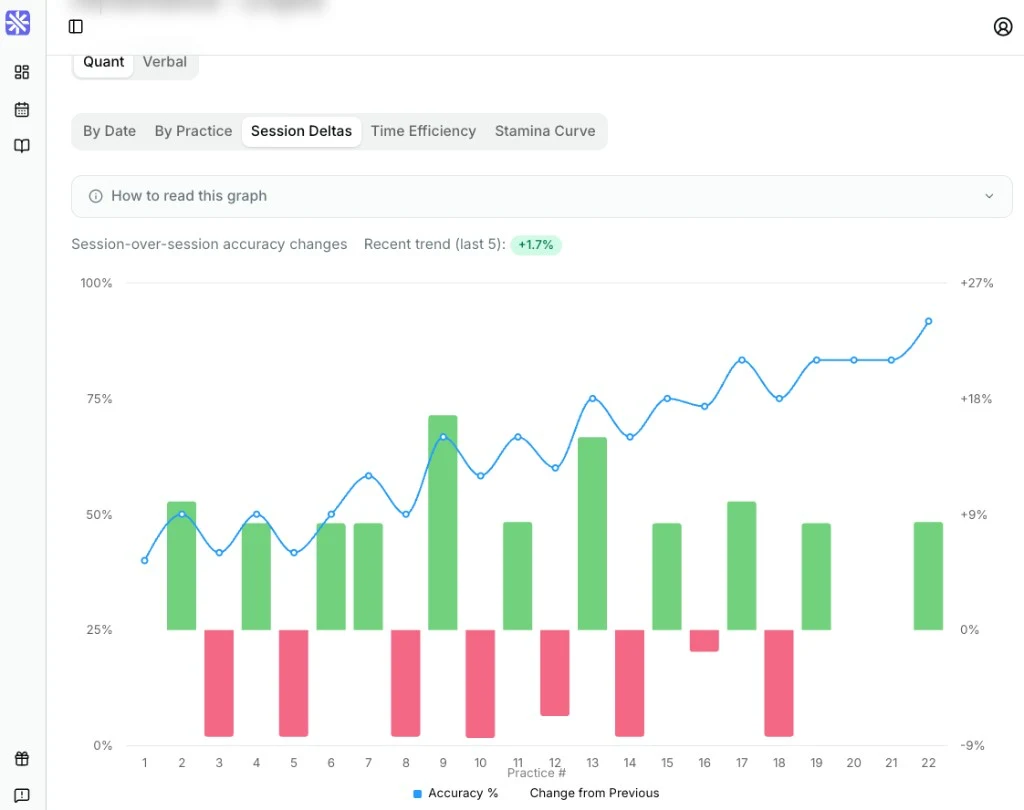
GRE scores do not tell the whole study story. Review score trends, session-to-session accuracy, and late-set stamina alongside the questions you answered. These views help you tell whether improvement is consistent, whether pacing slips late in a section, and where the next targeted practice session will have the most value.
Your practice, explanations, and mistake review. One plan.
GREKMF Premium — plans from $10.
Unlock the full GRE Quant and Verbal question bank, targeted topic filters, detailed explanations, performance metrics, and error tracking for your chosen access period. Use the same connected workflow to build practice sets, understand misses, and return to the skills that need another pass before test day.
Choose 1, 4, or 6 months. Pay once. No automatic renewal.
View Premium Plans7 days to see whether GREKMF fits your preparation.
Receive a full refund within 7 days of purchase if you have accessed fewer than 5% of the question bank—approximately 400 questions. See the Refund Policy for full details.
Read the Refund PolicyPrefer to start free?
Create a free account and begin with KMF 1000 Quant. Your Free plan never expires, and no credit card is required.
Start Practicing FreeStill deciding?
Begin with untimed practice and Tutor Mode. The explanations introduce the concepts needed for each question, and your results help you identify what to work on next.
Yes. Use your lessons to study concepts and GREKMF to apply them, check your understanding, and review recurring mistakes.
No. Timing and Tutor Mode are separate choices. Choose timed or untimed practice, then decide whether you want feedback after each question.
Contact us to check available payment options before purchasing.
Every paid plan includes full access to the complete question bank.
No. Every paid plan is a one-time payment for the duration you choose. Access ends automatically. If you want more time, purchase a new plan.
No. Purchases always create a new plan. They do not extend access or carry over practice history from one you already have.
Each plan keeps its own practice history. A new purchase waits on My Plan until you press Start. Progress is never copied between workspaces, including Free.
You can return to questions you missed. Correctly answered questions leave that plan’s practice pool, so you keep moving forward. New Premium plans do not include a question-bank reset.
Give your next GRE practice session a clear purpose.
Start a GRE practice set, identify a weak area, and work through the mistake behind it with a detailed explanation and saved review note. Keep building from there with targeted Quant and Verbal practice, progress data, and error review in one place.
No credit card required for Free.